Streamlining Your Digital Workspace: Essential Text and Document Hacks
In the modern workplace, efficiency is everything. Whether you are a student writing a thesis, a marketer crafting an SEO campaign, or an executive managing reports, you spend hours dealing with text and documents. Optimizing how you handle these files can save you hundreds of hours a year. Let’s look at some essential digital hacks for text formatting and document conversion. The Power of Real-Time Text Analysis If you write content for the web, you know that length matters. Search engines have specific preferences for meta descriptions (usually under 160 characters) and blog posts. Furthermore, platforms like X (formerly Twitter) enforce strict character limits. Using a dedicated Word and Character Counter is essential. But a good tool does more than just count words; it analyzes paragraphs, sentences, and character spaces in real-time. This allows writers and editors to perfectly tailor their content to fit platform requirements without having to constantly paste text into heavy word-processing software like Microsoft Word. Instant Text Formatting We have all been there: you accidentally left the "Caps Lock" key on and typed an entire paragraph in uppercase. Retyping it is a waste of time. Utilizing a Text Case Converter allows you to instantly transform large blocks of text. With a single click, you can switch between UPPERCASE, lowercase, Title Case (perfect for blog headings), and Sentence case. It is a simple tool that dramatically speeds up the editing process. Bridging the Gap: PDF and Image Conversions The Portable Document Format (PDF) is the gold standard for sharing documents globally because it preserves formatting across all devices. However, PDFs can be notoriously difficult to edit or use in certain situations. Converting Image to PDF If you are applying for a job or a visa, you are often asked to upload your ID, passport, and certificates as a single document. Instead of sending five separate JPG images, using an Image to PDF Converter allows you to combine high-quality images into one professional, easy-to-read document. Converting PDF to Image Conversely, what if you have a beautiful infographic trapped inside a multi-page PDF, and you want to post it on Instagram or Pinterest? Social media platforms do not accept PDF uploads. By using a PDF to Image Converter, you can instantly extract pages from a PDF and save them as high-quality JPG or PNG files, ready for social media sharing. Designing with Dummy Text For web designers and graphic artists, presenting a layout to a client before the actual copy is written is a common challenge. Using a Lorem Ipsum Generator provides natural-looking dummy text. It fills the visual space gracefully, allowing clients to focus on the design, typography, and layout rather than getting distracted by reading the text. Conclusion The secret to digital productivity is having the right tools at your fingertips. By integrating text formatters, word counters, and PDF converters into your daily workflow, you can eliminate tedious manual tasks and focus on what truly matters: doing great work.
The Anatomy of Digital Security: Passwords, Encryption, and Unique Identifiers
As our lives become increasingly intertwined with the digital world, the importance of cybersecurity cannot be overstated. Every day, millions of cyber attacks target personal and corporate data. At the front line of this digital warfare are the basic security measures we use daily: passwords, data encoding, and unique identifiers. Let's explore why these tools are the backbone of internet security. The Crisis of Human-Generated Passwords Humans are creatures of habit. When asked to create a password, the vast majority of people will rely on familiar patterns: a pet’s name, a birth year, or the classic (and dangerous) "123456". Cybercriminals know this. They use advanced software to run "brute force" attacks that can guess these predictable passwords in mere seconds. To truly protect your online banking, social media, and email accounts, you must eliminate the human element from password creation. This is where a Cryptographically Secure Password Generator becomes your best friend. A robust generator creates a random string of uppercase and lowercase letters, numbers, and special characters. Because it is completely random, it is virtually impossible for a hacker's software to guess. Behind the Scenes: Encoding Data for the Web Have you ever noticed strange strings of characters in web addresses and wondered what they mean? This is often the result of data encoding. Base64 Encoding In web development, transmitting binary data (like images or complex files) over networks that are designed to handle only text can cause corruption. Base64 Encoding solves this by converting binary data into an ASCII string format. It is completely safe for web transmission. Developers frequently use Base64 to embed small images directly into HTML or CSS files, speeding up website loading times. URL Encoding and Decoding URLs can only be sent over the Internet using the ASCII character-set. If a URL contains spaces or special characters (like ?, &, or #), the browser must translate them into a valid format. This is called URL Encoding (for instance, a space becomes "%20"). Using a URL Encoder/Decoder tool helps developers and digital marketers safely format web addresses or read messy, encoded links sent in emails. UUIDs: Keeping Data Unique Imagine a database with millions of users. How do you guarantee that no two users accidentally receive the same ID number, even if they register at the exact same millisecond on different servers around the world? The answer is a UUID (Universally Unique Identifier). A UUID is a 128-bit number used to identify information in computer systems. Generating a UUID v4 (which is based on random numbers) creates an ID so unique that the chances of it ever being duplicated are essentially zero. It is a critical tool for modern app developers building scalable software. Summary From the individual user generating a secure password to the software engineer encoding URLs and generating UUIDs, digital utilities keep our internet safe and functional. By understanding and utilizing these tools, we can better navigate the complexities of the modern web.
Beyond the Scale: Understanding BMI, Weight Metrics, and Your Overall Health
In today's fast-paced world, keeping track of our physical health is more important than ever. With the rise of digital health tracking, understanding the numbers behind your body weight is the first step toward a healthier lifestyle. But what do these numbers actually mean? Let’s dive into the science of Body Mass Index (BMI), the importance of accurate weight conversions, and how you can track your health efficiently. What Exactly is Body Mass Index (BMI)? Body Mass Index, commonly known as BMI, is a straightforward mathematical formula used globally by medical professionals to categorize a person's weight relative to their height. It is a screening tool used to identify potential weight problems for adults. The formula is simple: your weight in kilograms divided by the square of your height in meters. However, doing this math manually every time you check your weight is tedious. This is exactly why using an online BMI Calculator is essential. By simply entering your height and weight, you instantly receive a number that places you into one of several categories: Underweight: BMI less than 18.5 Normal weight: BMI 18.5 to 24.9 Overweight: BMI 25 to 29.9 Obesity: BMI 30 or greater The Limitations of BMI While BMI is an excellent general guide, it is important to remember that it does not measure body fat directly. Athletes with high muscle mass might have a high BMI but very low body fat. Always consult with a healthcare provider for a complete health assessment. Navigating Global Weight Metrics: Pounds vs. Kilograms We live in a globally connected world, but when it comes to measuring weight, things can get confusing. The United States heavily relies on the Imperial system (Pounds and Ounces), while the vast majority of the world uses the Metric system (Kilograms and Grams). If you are following a fitness program from a foreign trainer, or reading a dietary plan from an international website, you will constantly need to convert these units. For example, knowing that 1 kilogram equals approximately 2.204 pounds is basic math, but converting complex numbers like 178 lbs to kg requires precision. Using a dedicated Weight & Mass Converter saves time and eliminates human error, ensuring your dietary portions and lifting weights are calculated accurately. The Importance of Tracking Time: Age and Milestones Interestingly, health tracking isn't just about weight. Medical professionals often need to calculate your exact age in months and days to prescribe certain medications or evaluate developmental milestones. An Age Calculator allows you to input your date of birth and instantly find out your exact age down to the day, making form-filling and medical documentation a breeze. Conclusion Taking control of your health requires accurate data. Whether you are calculating your BMI to start a new fitness journey, or converting weight metrics for a specific diet plan, having reliable digital calculators bookmarked on your browser is incredibly helpful. Utilize these free digital utilities to streamline your life and stay on top of your health goals!
The Math of Smart Shopping: How to Calculate True Savings Instantly
We see them everywhere: bold red signs screaming "35% OFF today only!" or online checkout counters offering a stackable 15% coupon on top of an existing markdown. Retailers are masters of psychological pricing, often structuring deals in ways that make it difficult for our brains to compute the final price on the fly. As a result, shoppers frequently overspend or miss out on genuine deals because they cannot separate marketing hype from real savings. Making smart financial decisions shouldn't require carrying a notebook or struggling with complex formulas in your head. Utilizing web-based mathematical utilities gives you immediate clarity when every dollar counts. 1. Decoding Tiered Sales and Markdowns Retail stores love to complicate discounts by offering promotional structures like "Buy one, get the second at 40% off" or "Take an extra 20% off already reduced clearance items." Figuring out if a deal is actually worth your hard-earned money can be confusing. Using an instant Discount Calculator helps you strip away the promotional language to reveal the exact final cost and the total money saved before you ever reach the register. 2. Tracking Business and Investment Metrics Percentage calculations aren't just for retail therapy; they are a fundamental pillar of freelance work, business management, and personal investing. Whether you need to figure out a freelancer's markup, calculate the year-over-year growth rate of your savings account, or determine the correct sales tax for an invoice, accuracy is non-negotiable. A dedicated Percentage Calculator removes human error entirely, ensuring your financial records remain flawless. 3. Instant Calculations Without Hidden Tracking Many financial websites require you to sign up for an account, fill out intrusive forms, or sit through unskippable ads just to use a simple calculator. Worse, they track your financial inputs to serve you targeted advertising later. Our MagFlora math utilities operate completely locally within your browser window. No data is stored, no inputs are tracked, and your financial planning remains completely confidential. Don't let complicated percentages slow down your decision-making. By adding specialized mathematical tools to your daily bookmark bar, you can master your budget and shop with absolute confidence.
Beyond the Paperless Office: Why Seamless Document Conversion is Essential
In today's fast-paced digital ecosystem, the dream of a completely paperless office has largely become a reality. However, this shift has brought a new challenge: managing an endless array of file formats. On any given workday, you might receive a contract as a PDF, a receipt as a smartphone photo, or design wireframes as a collection of PNG images. Navigating between these formats can quickly turn into a workflow bottleneck. Manually re-uploading, taking screenshots, or using bloated desktop software just to change a file type is a massive drain on efficiency. Smart professionals know that having instant, web-based conversion utilities at their fingertips is the key to maintaining a smooth daily routine. 1. Creating Clean, Professional Multi-Page Reports Imagine you are preparing an expense report or a portfolio showcase. You have ten separate images of receipts or design drafts scattered across your desktop. Sending ten individual image files to a client or your accounting department looks cluttered and unprofessional. By utilizing an Image to PDF Converter, you can merge those separate images into a single, beautifully organized document in seconds, making it easy to store, share, and print. 2. Extracting Visual Content from Dense Documents Conversely, there are times when you receive a massive slide deck or an e-book in PDF format, but you only need a single diagram or visual asset to place into a presentation or share on social media. Instead of capturing low-quality screenshots that distort the original layout, running the document through a reliable PDF to Image Converter allows you to extract high-resolution visual elements with perfect clarity. 3. Client-Side Privacy: Keeping Confidential Data Safe One of the biggest concerns with online file converters is data privacy. Many popular online tools upload your sensitive financial documents, legal contracts, or personal photos to cloud servers, exposing you to potential data leaks. On our platform, all MagFlora document conversions are processed entirely inside your local web browser. Your files are never uploaded to an external server, giving you ultimate peace of mind while protecting your digital footprint. Stop letting rigid file formats dictate the speed of your work. Incorporating localized conversion utilities into your standard toolkit lets you manipulate documents effortlessly without ever compromising your privacy.

The Ultimate Guide to Securing Your Digital Identity in 2026
In today's hyper-connected world, protecting your digital identity is no longer optional—it is a strict necessity. As we move deeper into 2026, cyber threats are becoming more sophisticated, targeting everyday users who overlook basic privacy protocols. Fortunately, securing your online presence doesn't require a degree in computer science. By adopting a few smart habits and utilizing the right digital tools, you can fortify your digital footprint effortlessly. 1. The Foundation: Unbreakable Passwords The most common vulnerability in digital security remains weak, reused passwords. Hackers use automated dictionaries and brute-force attacks that can crack a simple password in seconds. To mitigate this risk: Never reuse passwords across different platforms (especially banking and email). Use a mix of uppercase, lowercase, numbers, and special characters. Generate random strings instead of memorable words. Instead of trying to invent complex passwords yourself, always rely on a secure, client-side Password Generator. Tools that run locally on your browser ensure that your new password is never transmitted over the internet, offering maximum privacy. 2. Process Sensitive Documents Locally (Client-Side) How often do you upload your personal IDs, bank statements, or private photos to random "free" online converters? Many cloud-based utility sites store your uploaded files on their servers, creating a massive privacy risk if those servers are ever breached. The modern solution is Client-Side Processing. When you need to convert an Image to PDF, or extract pages from a PDF to JPG, always look for tools that process the data directly within your web browser. This ensures your sensitive documents never leave your device. 3. Be Wary of QR Code Phishing (Quishing) QR codes are everywhere, from restaurant menus to digital payments. However, malicious actors often place fake QR codes over legitimate ones to redirect users to phishing sites. Always verify the URL that pops up when you scan a code. Furthermore, if you are generating QR codes for your own business, use a trusted, secure QR Code Generator that doesn't inject tracking cookies or hidden redirects into your links. 4. Minimize Your Digital Footprint Every account you create and abandon leaves a trace. Take time to audit your digital life: Delete old email accounts and social media profiles you no longer use. Revoke third-party app permissions from your Google and Facebook accounts. Clear your browser cookies and cache regularly. Conclusion Digital security in 2026 is about taking control of your data. By using client-side tools, generating strong passwords, and being mindful of where your files are processed, you drastically reduce your risk of exposure. Take these steps today, and enjoy a safer, more private internet experience.

The Invisible Shield: Why Digital Privacy is Your Most Valuable Asset in 2026
Imagine walking out of your house and leaving the front door wide open, with a sign on your lawn that says, "Everything inside is free." You would never do that in the physical world, right? Yet, millions of internet users do the digital equivalent of this every single day. In 2026, our digital lives are more complex than ever before, yet many of us are still using security habits from a decade ago. As we navigate through 2026, our personal data is no longer just information; it is the absolute global currency. From the AI models training on your social media posts to the smart devices tracking your every move at home, every piece of your identity is being harvested. This is why digital privacy is no longer an "option"—it is the only shield you have in an increasingly transparent world. The Rise of AI and the Death of Anonymity The biggest shift we’ve seen in 2026 is the integration of Advanced AI into every corner of the web. While AI helps us work faster, it also requires massive amounts of data to function. Many "free" AI tools collect your inputs, your documents, and even your voice patterns to improve their systems. If you aren't careful, the private details of your business or personal life could end up inside a public data model. We often hear the phrase, "If you aren't paying for the product, you ARE the product." In 2026, you aren't just the product; you are the training data. The Human Factor: The Greatest Security Risk Even with the most advanced encryption, the biggest security hole is usually the person sitting at the keyboard. Cybercriminals in 2026 have moved beyond simple "spam" emails. They now use sophisticated "Deepfake" technology and AI-generated phishing messages that look and sound exactly like a real colleague or a bank official. One of the most dangerous, yet common, mistakes is using the same password for multiple accounts. If a hacker gets into a minor account you created years ago, they can use automated scripts to test that same password on your Gmail, your crypto wallet, or your bank account. This is why a Secure Password Generator is your first line of defense. By creating 20+ character randomized strings, you make it mathematically impossible for standard hacking tools to guess your credentials. Three Essential Pillars for Your 2026 Digital Safety Protecting yourself today doesn't require a degree in computer science. It requires a change in mindset. Focus on these three pillars: 1. End-to-End Encryption: Always verify that you are on a secure connection. Look for the "HTTPS" lock. In 2026, unencrypted sites are a playground for data interceptors. 2. Hardware-Based Authentication: Moving beyond simple SMS codes (which can be intercepted), use physical security keys or biometric "passkeys" whenever possible. It’s like having a physical lock that only you can open. 3. Browser-Side Logic: Whenever you use digital utilities, choose platforms that process your data locally. Most online converters send your text to a server. On MagFlora, our tools work 100% inside your browser, meaning your private data never even reaches our servers. Data Minimalism: The New Power Move The most secure piece of data is the one you never shared. Practice "Data Minimalism"—if a website asks for your phone number or birthdate and it isn't absolutely necessary, don't provide it. The smaller your "digital footprint" is, the less there is for a hacker to steal during a data breach. In an era where data leaks happen daily, being a ghost in the machine is a major advantage. Conclusion: Autonomy in a Connected World Privacy is about more than just hiding secrets; it is about maintaining your freedom. When a company knows everything about you, they can manipulate your choices, your purchases, and even your opinions. By taking control of your digital privacy today, you are reclaiming your autonomy. At MagFlora, we built our platform with a "Privacy First" philosophy. Whether you are generating a unique ID, counting words in a confidential report, or checking your BMI, you can trust that your data stays with you. Security in 2026 is a journey, not a destination. Stay curious, stay skeptical, and keep your invisible shield strong.
The Productivity Paradox: Why Working Harder is Making You Less Efficient
Have you ever reached the end of an 8-hour workday feeling absolutely exhausted, only to realize you didn't actually finish any of your major tasks? You were "busy" all day—answering emails, fixing small errors, formatting documents—but you weren't actually productive. This is the Productivity Paradox: the more we try to juggle small, repetitive tasks, the less brainpower we have for the work that actually matters. In the digital age, we are surrounded by "Micro-Friction." These are the tiny, 2-minute tasks that eat away at our focus. Changing the case of a text block, calculating a percentage for a report, or generating a QR code for a meeting. Individually, they seem small. Collectively, they are the silent killers of your efficiency. The Science of Context Switching Studies show that every time you switch your attention from a major task to a minor one, it takes your brain an average of 23 minutes to return to deep focus. This is called "Attention Residue." When you stop writing a report to manually count words or fix capitalization errors, your brain stays partially stuck on those small tasks. By the time you get back to your main work, your creative energy has plummeted. To be truly productive, you must protect your "Deep Work" hours. This means automating or using specialized tools for the "Shallow Work" that usually clogs up your schedule. The Power of "Frictionless" Workflows The world’s most successful professionals don't work more hours; they work with less friction. They use digital utilities to handle the boring stuff. For example, instead of manually retyping a paragraph that was accidentally written in all-caps, a smart worker uses a Text Case Converter. Instead of guessing how many words are in an article to fit an SEO limit, they use a real-time Word and Character Counter. These are not just "shortcuts"—they are cognitive tools that free up your mental energy for high-level problem-solving and creativity. Every second you save on a repetitive task is a second you invest in your career or your personal life. How to Build Your Own Productivity Hub You don't need expensive, bloated software suites to be efficient. In fact, simple, fast, and focused tools are often better. Here is how you can optimize your daily workflow: Batch Your Small Tasks: Don't fix errors as you find them. Write your entire draft first, then use formatting tools at the very end to polish everything at once. Use Browser-Based Utilities: Avoid installing heavy software for simple tasks. Fast, web-based tools (like the ones here on MagFlora) allow you to get the job done without slowing down your computer. Automate Communication: If you frequently share links or contact info, generate a permanent QR code. It saves you from typing and re-typing the same information over and over again. The Emotional Impact of Efficiency Productivity is not just about doing more; it’s about feeling better. There is a specific kind of stress that comes from "busy-work"—the feeling of being a cog in a machine. When you use tools to handle the mundane tasks, you regain a sense of control over your time. This leads to lower burnout rates and a much higher level of job satisfaction. At the end of the day, your time is the only resource you can never get back. Our mission at MagFlora is to help you reclaim that time. Whether you are a student drafting an essay, a developer generating unique IDs, or a marketer analyzing data, our suite of utilities is designed to remove the friction from your day so you can focus on building something great. Efficiency is a mindset. Stop fighting with your tools and start letting them work for you. Your future self will thank you for the extra hour you saved today.
The Surprising Return of QR Codes: Why Your Business Can't Survive Without Them
A few years ago, people thought QR codes were a dying trend. They were those weird little black-and-white boxes that nobody really knew how to scan. Fast forward to today, and they are absolutely everywhere—from restaurant menus to concert tickets and even TV commercials. If you are a business owner or a creator and you aren't using QR codes yet, you are missing out on one of the easiest ways to connect with your audience. Here is why they have become so essential in the modern world. 1. Bridging the Gap Between Offline and Online Imagine you have a physical flyer or a business card. You want someone to visit your website. Without a QR code, they have to open their browser, type in your URL, and hopefully not make a typo. With a QR code, they just point their camera and they are there. It removes all the friction. 2. Contactless Convenience In a post-pandemic world, nobody wants to touch a physical menu that a hundred other people have handled. QR codes have revolutionized the dining industry by allowing customers to view menus and even pay directly from their phones. It’s faster, cleaner, and more efficient. 3. Trackable Results One of the best things for marketers is that you can track how many people are scanning your codes. This gives you real data on which of your marketing materials are actually working. Creating your own is now easier than ever. You don’t need fancy software. You can jump over to our free QR Code Generator, paste your link, and download your custom code in seconds. Whether it’s for a personal project or a massive business launch, it’s a tool you definitely need in your digital toolbox.
Is Your Weight Healthy? Decoding BMI and Why It Matters More Than You Think
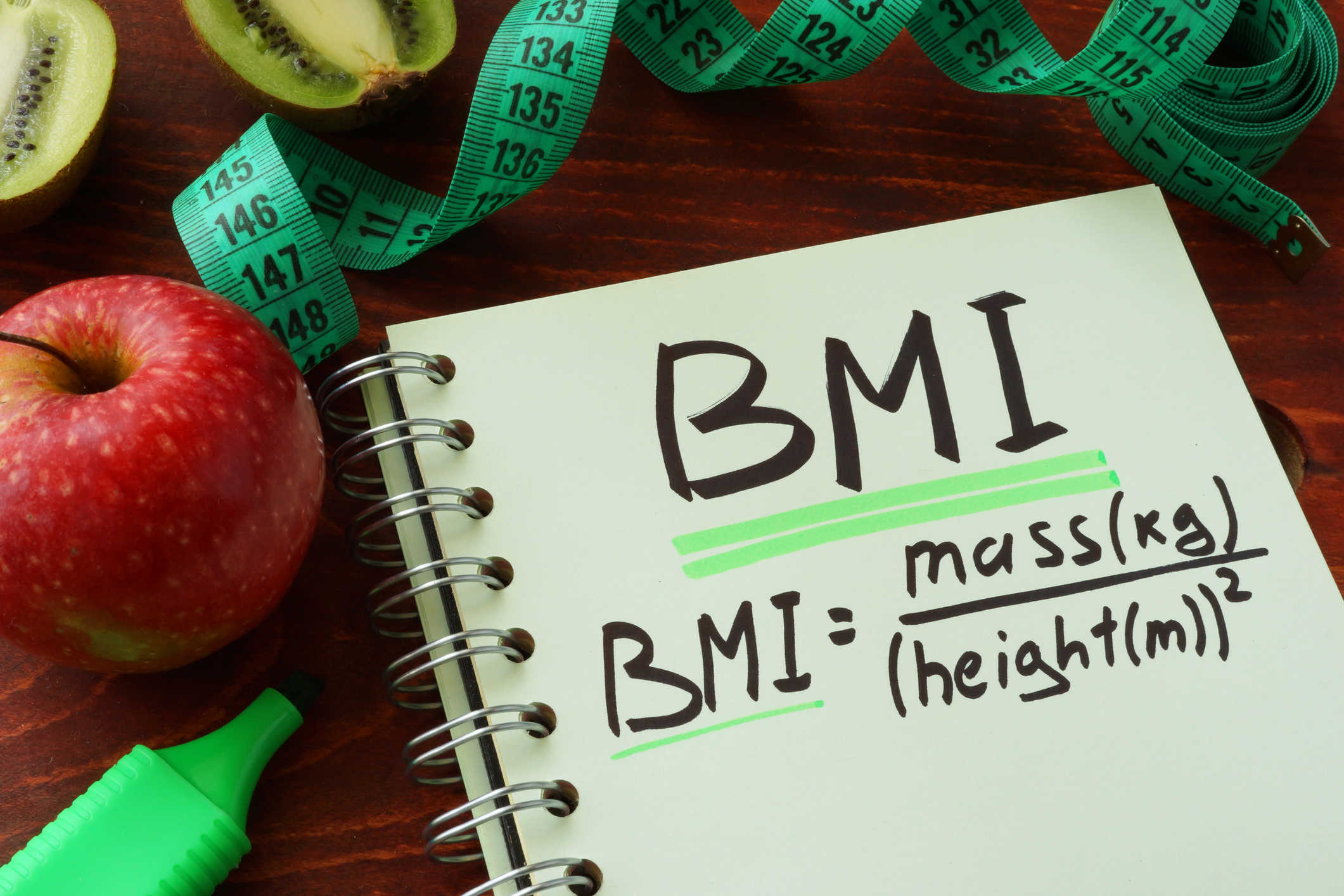
Most of us have stood on a scale and felt either happy or a little frustrated by the number we saw. But here is the truth: your weight is just a number. What actually matters is how that weight relates to your height. This is where the Body Mass Index, or BMI, comes into play. Think of BMI as a quick snapshot of your health. It’s not a perfect measurement of your body fat, but it’s the most reliable way for doctors and fitness enthusiasts to categorize whether you are in a healthy range or if you might be at risk for certain health issues. What Your BMI Score Actually Means When you use our BMI Calculator, you get a single number. But what do you do with it? Here is the general breakdown: Below 18.5: You might be underweight. It’s a good idea to focus on nutrition and strength. 18.5 – 24.9: This is the "sweet spot" or the healthy range. Keep doing what you are doing! 25.0 – 29.9: This is categorized as overweight. It’s often a wake-up call to adjust your daily habits. 30.0 or Higher: This falls into the obesity category, which is often linked to higher risks of heart disease or diabetes. Don't Stress the Number Too Much While BMI is great, it doesn't know the difference between muscle and fat. For example, a heavy-weight bodybuilder might have a high BMI but very little body fat. That’s why you should use this as a guide, not a final judgment. Take a second to check your score today. It takes less than 30 seconds, and it might just be the motivation you need to start a healthier lifestyle.

Stop Typing by Hand: 3 Reasons Why Text Tools Save Hours of Your Life
Have you ever spent 20 minutes typing out a long email, only to realize you left the Caps Lock key on the entire time? Or maybe you had to submit a college essay that specifically required exactly 500 words, and you found yourself manually counting lines on a screen. It's frustrating, time-consuming, and completely unnecessary. Smart internet users have figured out that relying on digital text utilities isn't just for programmers—it's the ultimate productivity hack for everyone. 1. Instantly Fixing Formatting Mistakes We've all copied text from a PDF document only to find it pasted with completely broken formatting, weird line breaks, or in ALL CAPS. Instead of manually retyping paragraphs, a quick run through a Case Converter can fix the entire document in exactly one second. You just click "Sentence case" and move on with your day. 2. Beating Social Media Limits Twitter has character limits. SEO meta descriptions require strict lengths to look good on Google. If you work in digital marketing, knowing your exact character count before you hit "publish" is crucial. Using an instant word counter prevents that annoying "Your text is too long" error message. 3. Keeping Your Data Private A lot of people use online tools, but they don't realize that some shady websites actually save the text you paste into them. That's why we built the MagFlora utilities to process everything locally in your web browser. Your private emails or confidential reports never actually leave your computer. The next time you find yourself doing repetitive text work, remember that there is probably a free tool on our platform that can do it for you instantly.
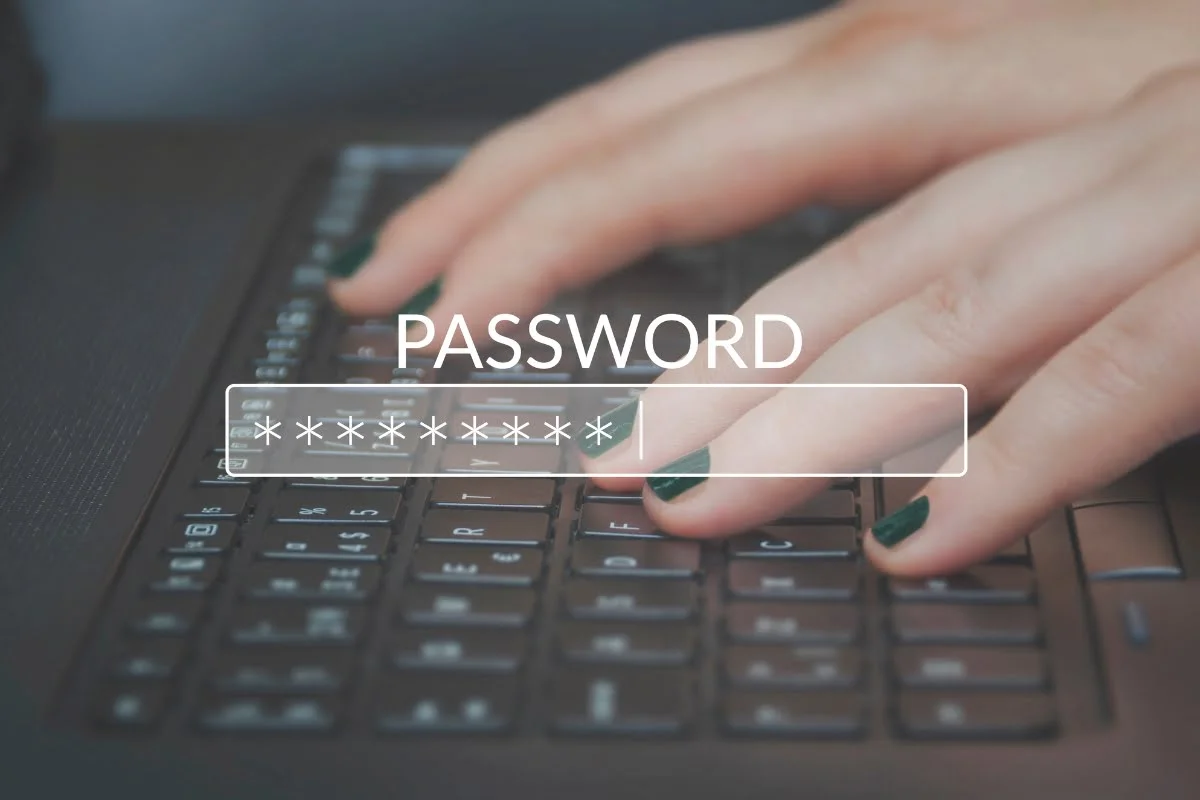
Why "123456" is Still the Most Dangerous Password (And How to Fix It)
Let's be honest. We all have that one password we use for almost everything. Maybe it's your pet's name followed by your birth year, or maybe it's just the classic "password123". It’s easy to remember, so why fix it if it isn't broken, right? Well, here is the scary truth: automated hacking tools can crack simple passwords in less than a second. If someone gets into just one of your accounts, they suddenly have the golden key to your entire digital life. The Real Threat Behind Simple Passwords Hackers don't sit at a computer manually typing in guesses anymore. They use powerful software that runs millions of combinations per second. When a big website gets hacked, databases full of passwords are leaked onto the dark web. If you use the same password on your email that you used on a random forum five years ago, your email is practically wide open. How to Create a Password You Can Actually Remember You don't need a photographic memory to stay safe. Instead of a single complex word, try using a passphrase. A passphrase is a string of random words strung together. Bad: Tr!ckY89 (Too short, easily cracked) Good: PurpleCoffeeMonkeyBlanket! (Long, easy to picture in your head, mathematically impossible to crack quickly). The Easiest Solution If you don't want to think of a passphrase, the safest route is using a random string of characters and keeping it in a trusted Password Manager. You can easily generate one using our free Password Generator tool. It creates highly secure, randomized passwords locally on your browser, so nobody else will ever see it. Take five minutes today to change the password on your primary email account. Trust me, it’s worth the peace of mind.